Facebook ads ROAS & break-even ROAS calculator

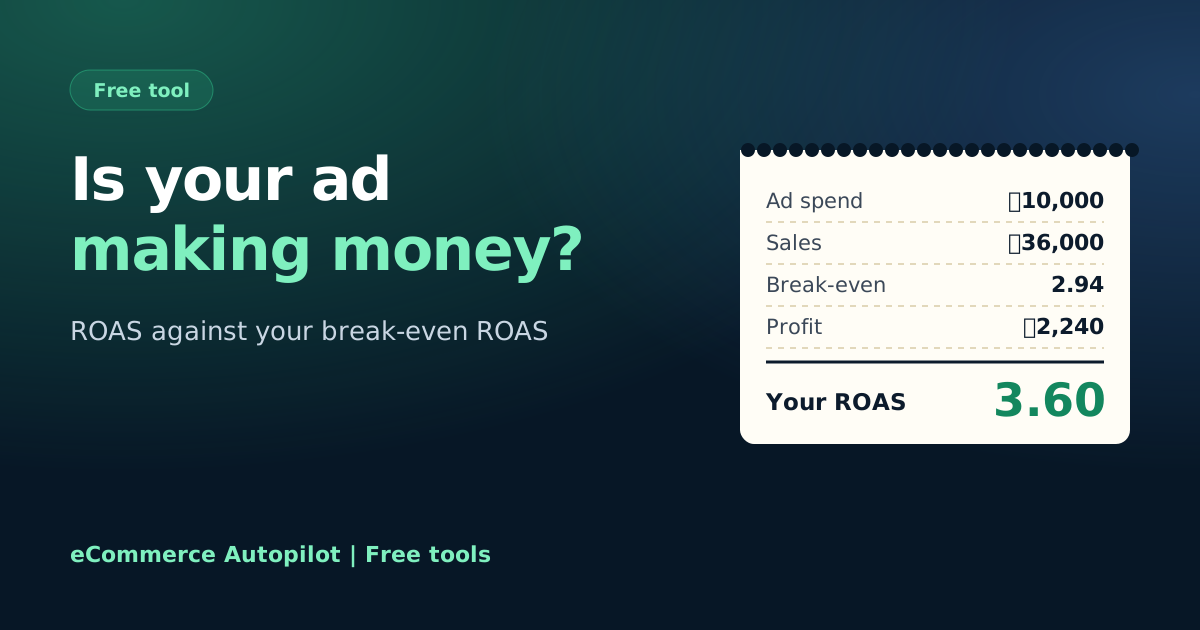
Is your ad really making money? Add your ad spend, the orders it brought and what each order costs you. See your ROAS next to the break-even ROAS, and the most you can pay for one order.

Free, no sign-up Runs on your device বাংলায় দেখুন

Your campaign
In taka, at the rate your bank charged
Product, packaging, delivery you pay, COD

Is the ad paying?

Sales from ads—
Cost per purchase—
Most you can pay per order—
Your ROAS—
Break-even ROAS—
Profit after ads—

Simple model: returned parcels' courier charges are not included.

eCommerce Autopilot puts each Facebook page's ad spend next to the orders it brought. Try it free for 7 days

How to use the Facebook Ads ROAS & Break-even ROAS Calculator

  1. Type your ad spend in taka and the orders the ads brought.
  2. Add your average order value.
  3. Add the cost of one order without ads: product, packaging, delivery you pay and COD charge.
  4. Add your return rate, then compare your ROAS with the break-even ROAS.
How break-even ROAS is calculated from order value, cost per order and return rate
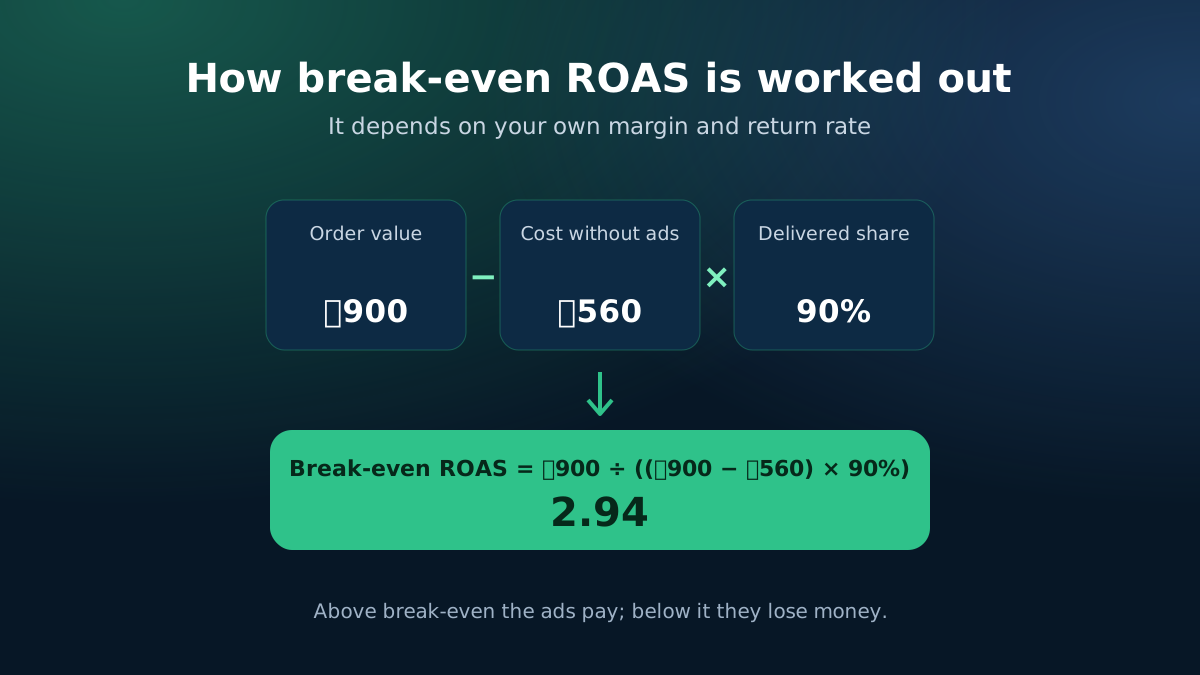
Break-even ROAS comes from your own margin and return rate.
Facebook ads ROAS and break-even ROAS calculator for online shops
Compare your ROAS with the ROAS you need to break even.

ROAS alone does not tell you if you are making money

A ROAS of 3 sounds good. But if your product, packaging and delivery take 70% of the price, a ROAS of 3 loses money. What matters is how your ROAS compares with your break-even ROAS, which depends on your own margin.

How the numbers are worked out

  • Sales from ads = orders × average order value.
  • ROAS = sales ÷ ad spend.
  • Cost per purchase = ad spend ÷ orders.
  • Profit per delivered order before ads = order value − cost per order without ads.
  • Highest cost per order you can afford = that profit × delivered share (1 − return rate).
  • Break-even ROAS = order value ÷ the highest cost per order you can afford.

The profit after ads is the delivered orders' profit minus the ad spend. This is a simple model: it does not add the courier charges of returned parcels, which the return-loss calculator covers.
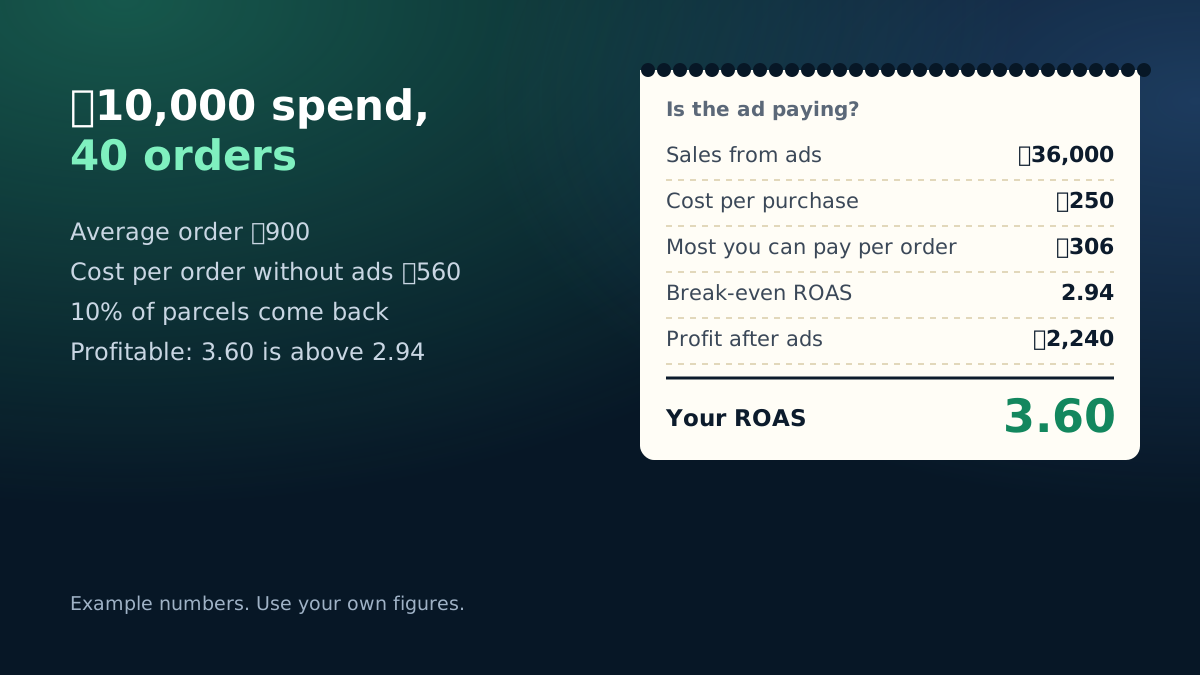
Example: ৳10,000 ad spend, 40 orders, ROAS 3.6 against a break-even ROAS of 2.94
Worked example with the calculator's starting numbers.

Reading the result

If your ROAS is above break-even, the campaign is paying for itself; you can test a higher budget while watching the cost per order. If it is below, look at three levers in this order: the return rate (confirm orders before booking), the cost per order (creative and audience), and the order value (bundles and upsells).

Messages, inbox orders and Bangladesh ads

Many Bangladeshi shops run message ads and take orders in Messenger or WhatsApp, so Ads Manager does not see the purchase. Count the confirmed orders yourself for the same days as the spend. If you pay Meta in dollars, convert the spend at the rate your bank charged, including any fees.

eCommerce Autopilot brings ad spend and messages per page from Facebook into the CRM, and its Pixel and Conversions API setup sends website purchases back to Meta, so the numbers you compare are your own.

Frequently asked questions

What is ROAS?

ROAS (return on ad spend) is the sales an ad brought divided by what you spent on it. A ROAS of 3 means ৳3 of orders for every ৳1 of ads.

What is break-even ROAS?

It is the ROAS where your ads pay for themselves and leave zero profit. Above it you make money; below it you lose money even if sales look good.

Why include the return rate?

Facebook counts every purchase, but with cash on delivery some parcels come back and bring no money. The calculator only counts the profit of delivered orders.

Should I count messages or purchases?

Count orders you actually took (confirmed orders), whether they came by website, inbox or phone. Messages that never became orders are not purchases.

Learn more

Run your shop on autopilot Website, orders, courier, Facebook inbox, staff and accounts in one place. Free for 7 days.
Start free