Discount & offer calculator

See the sale price for any discount, how much profit is left after it, and how many more sales you need to earn the same. Check "buy 2 get 1 free" bundles the same way.

Free, no sign-up Runs on your device বাংলায় দেখুন

Discount on one item
Discount in

Offer price

Sale price—
Customer saves—
Profit per item before—
Profit per item after—
Extra sales to earn the same—

Bundle offer: buy some, get some free

Bundle

Customer pays—
Price per item—
Real discount—
Your profit per bundle—

eCommerce Autopilot runs discounts, coupon codes and combo offers on your own website. Try it free for 7 days

How to use the Discount & Offer Calculator

  1. Type the regular price and your cost for one item.
  2. Enter the discount as a percentage or as taka off.
  3. Read the sale price, the profit left and the extra sales needed.
  4. For bundles, set "buy" and "get free" to see the real discount and the bundle profit.
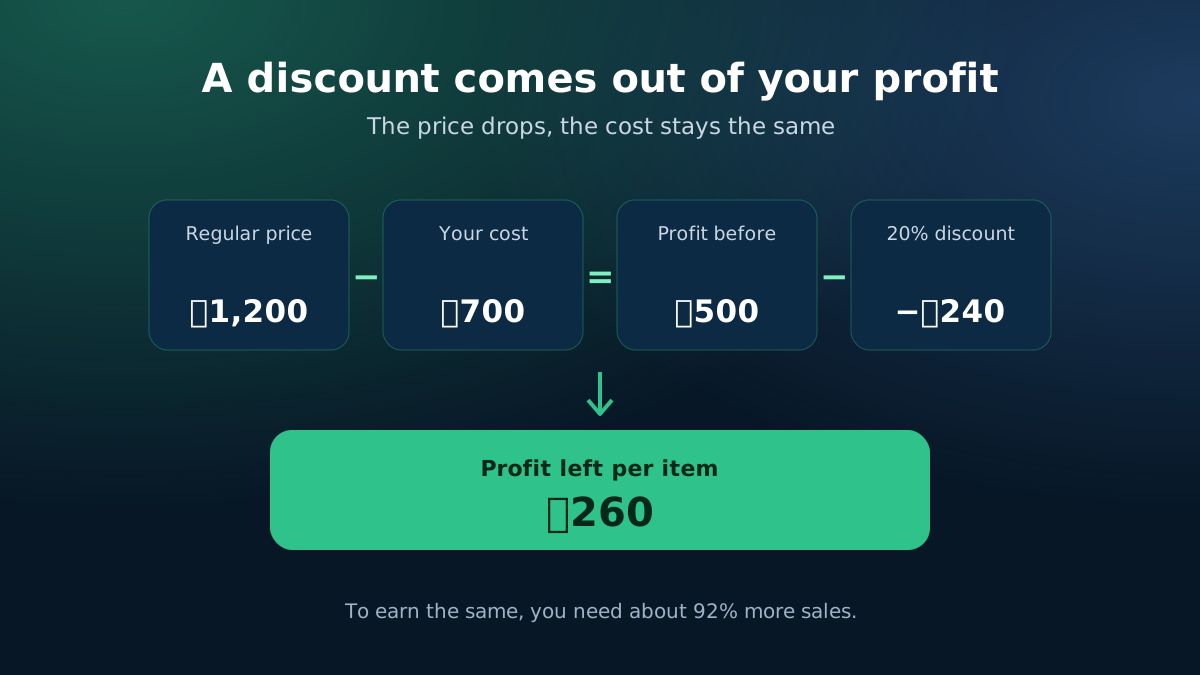
How a discount changes profit: the price drops but the product cost stays the same
The discount comes out of the profit, so more sales are needed.
Discount and offer calculator: sale price, percent off and buy 2 get 1 bundle
Know what an offer costs before you post it.

A discount comes out of your profit, not your price

A 20% discount sounds like 20% less money. It is usually much more than that from your profit. If an item sells for ৳1,200 and costs you ৳700, your profit is ৳500. At 20% off the price drops by ৳240, but the cost stays the same, so the profit falls to ৳260 — almost half. To earn the same ৳500 × sales as before, you need about 92% more sales.

This calculator shows that number next to the sale price, so you can decide if an offer is worth running.

Percentage or flat taka off?

Customers in Bangladesh respond well to clear taka amounts ("৳200 off") on lower-priced items and to percentages on higher-priced ones. Use either; the calculator shows both forms so you can pick the one that reads bigger in your post.
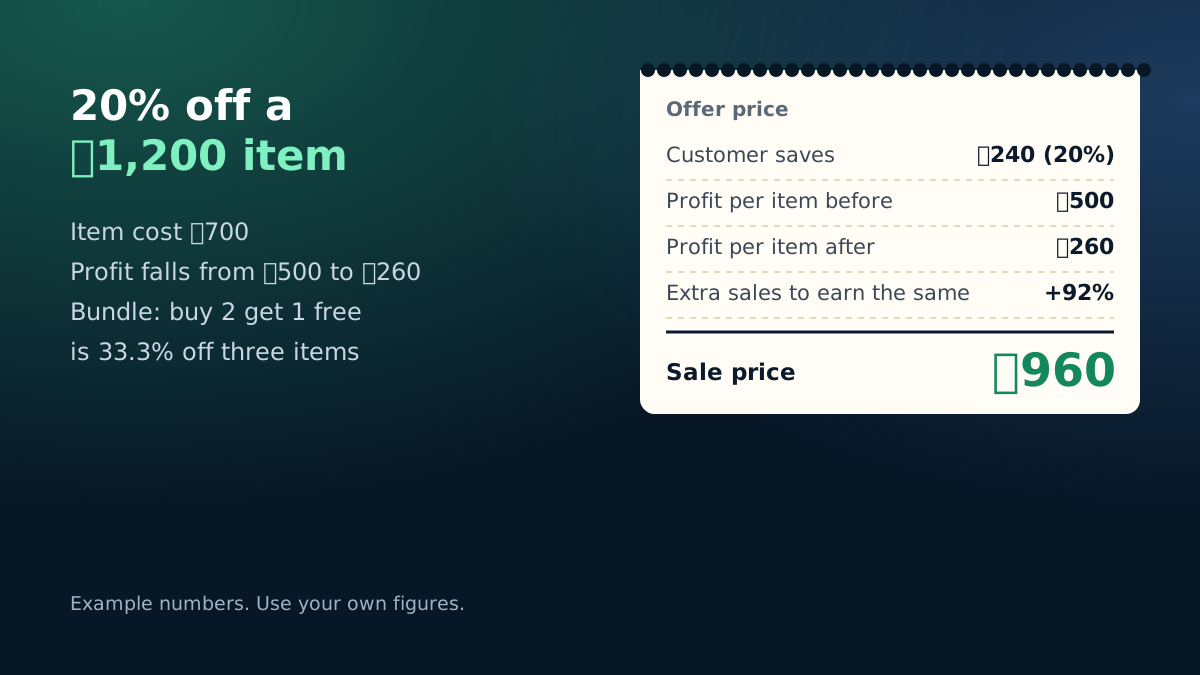
Example: 20% off a ৳1,200 item costing ৳700 cuts profit from ৳500 to ৳260
Worked example with the calculator's starting numbers.

Bundles: buy 2 get 1 free

Bundle offers raise the order value, which also spreads your delivery and ad cost over more items. The calculator shows:

  • The bundle price the customer pays and the effective price per item.
  • The real discount compared with buying all items at the regular price.
  • Your profit on the whole bundle after the cost of every item, including the free one.

Before you post an offer

  • Check the profit left is still above your ad cost per order and return loss.
  • Set an end date, so the offer creates urgency and does not become the new normal price.
  • Prefer bundles and free gifts over deep discounts when your margin is thin.

A good rule of thumb: if the extra sales needed look unrealistic for your page's reach, choose a smaller discount or a bundle instead.

In eCommerce Autopilot you can set product discounts, coupon codes and combo offers from the admin panel, and the order keeps the real price paid, so your profit report stays right.

Frequently asked questions

How do I calculate a discount price?

Sale price = regular price × (1 − discount %). For a flat discount, subtract the taka amount. The calculator also shows what percentage a flat discount is.

Why do I need more sales after a discount?

A discount comes straight out of your profit, not your cost. If a 20% discount cuts your profit per item in half, you need about twice as many sales to earn the same.

Is "buy 2 get 1 free" the same as 33% off?

For the customer it is 33.3% off three items, but only if they buy three. For you it means giving one item's cost away with every bundle — check the bundle profit before you post the offer.

Should I include delivery in the price?

This tool works on the item price. If you offer free delivery as well, add the delivery cost to your item cost so the profit is right.

Learn more

Run your shop on autopilot Website, orders, courier, Facebook inbox, staff and accounts in one place. Free for 7 days.
Start free